AI-Powered BESS Site Layout Design Tool
Design BESS
Site Layouts
Go from site boundary to optimized BESS layout — no engineering background required. For C&I and utility-scale projects.
The Layout Bottleneck
Site layouts are a bottleneck at every stage of a BESS project
Every layout decision — energy density, access roads, fire separation, equipment spacing — requires engineering time. At every stage, that time becomes the bottleneck.
Origination
Everything waits on the layout
The developer can't move forward without knowing what fits on the site. That means briefing an engineer, waiting for AutoCAD, and iterating — weeks before a first draft.
EPC Tendering
Every equipment option needs its own layout
Different manufacturers, different footprints, different spacing. EPCs need to compare options, but each variation means another round trip to engineering — under the same deadline.
RTB Handover
The project is ready to build — but the layout isn't
The project was permitted with a specific layout and equipment. By the time it reaches construction, equipment has changed, fire safety requirements have evolved, and the layout has to be revised.
The Layout Tool
Design BESS site layouts without engineering overhead
Instant layout generation
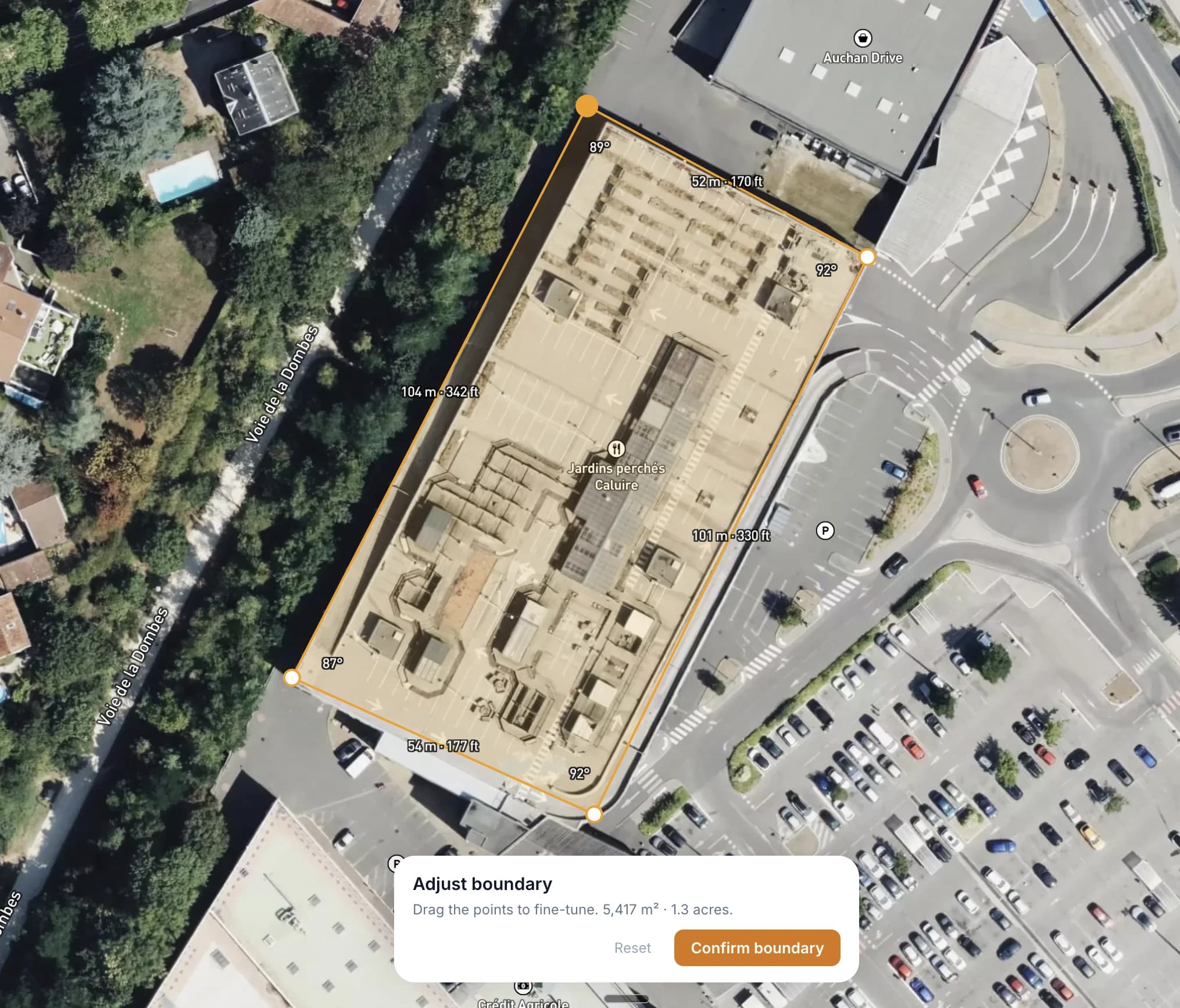
Draw your site boundary on a satellite map. The solver places DC blocks, PCS skids, E-house, roads, and clearances — optimized for energy density, automatically.
Who It Is For
Built for energy storage professionals
Developers
Quick feasibility check. Can you fit your target MWh on this site? Visualize the layout before committing to detailed engineering.
EPC Contractors
Preliminary layouts for tender submissions. Generate site layouts fast and include them in your proposals.
Engineers
Starting point for detailed design. Export layouts and refine in your CAD tools. Save hours of initial layout work.
Industry Consultants
Support clients with visual site concepts. Create clear layout options to present during advisory and due diligence.
Investors
Evaluate sites independently. Understand how layout decisions affect energy density and land use — and come to the table with sharper questions.
FAQ
Frequently asked questions
What is a BESS site layout?+
How does the layout tool work?+
Do I need engineering experience to use it?+
What equipment does the tool support?+
Is the tool free?+
Can I use it on my phone?+
Know someone who could use this?
See What Fits on Your Site
Free with a quick signup. Draw your boundary and get a layout in seconds.
Start a Layout