Zana ya Kubuni Mpangilio wa Tovuti ya BESS Inayoendeshwa na AI
Buni Mpangilio
wa Tovuti ya BESS
Toka mpaka wa tovuti hadi mpangilio bora wa BESS — bila kuhitaji msingi wa uhandisi. Kwa miradi ya C&I na utility-scale.
The Problem
Mipangilio ya tovuti ni kikwazo katika kila hatua ya mradi wa BESS
A developer finds a site. Before anything moves — permits, financing, procurement — they need to answer one question: what fits on this land?
During development
Days to get a first draft
A solution manager sketches a concept, briefs an engineer, the engineer builds it in AutoCAD — days or weeks later, you have a first draft
During tender
Multiple layouts, tight deadlines
During tender, EPCs need multiple layout variations under tight deadlines — each one another round trip to engineering
After procurement
Equipment changes, layout restarts
After procurement, equipment specs change — and the layout needs to be redone from scratch
The Tool
Buni mipangilio ya tovuti ya BESS bila mzigo wa uhandisi
Utengenezaji wa mpangilio papo hapo
Draw your site boundary on a satellite map. The solver packs a complete layout — DC blocks, PCS skids, E-house, roads, and clearances — automatically.
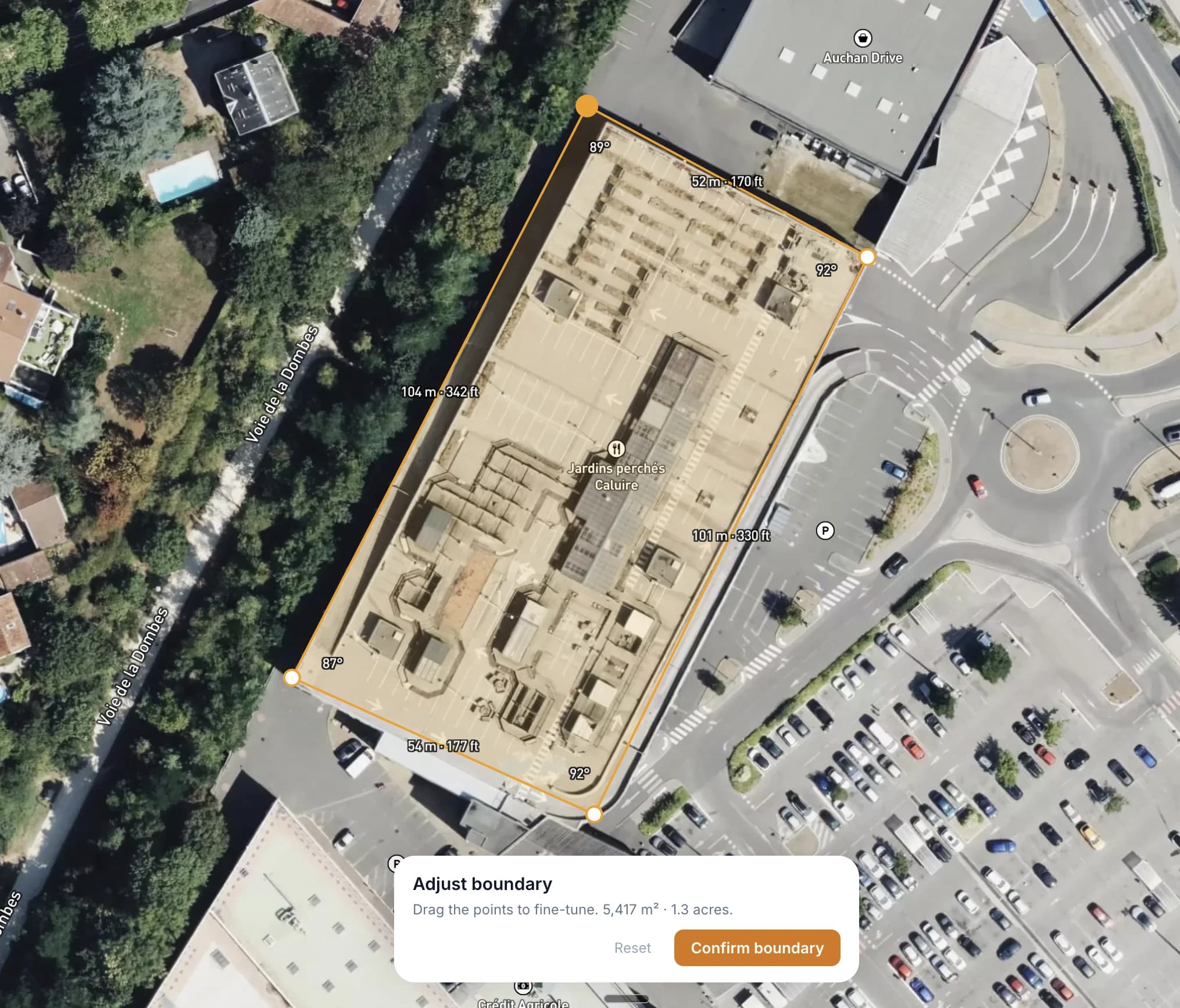
Ni kwa Nani
Imejengwa kwa wataalamu wa kuhifadhi nishati
Watengenezaji
Ukaguzi wa haraka wa uwezekano. Je, MWh unayolenga itaingiana kwenye tovuti hii? Onyesha mpangilio kabla ya kujitolea kwa uhandisi wa kina.
Wakandarasi wa EPC
Mipangilio ya awali kwa uwasilishaji wa zabuni. Tengeneza mipangilio ya tovuti haraka na uijumuishe katika mapendekezo yako.
Wahandisi
Mahali pa kuanzia kwa usanifu wa kina. Hamisha mipangilio na uiboreshe katika zana zako za CAD. Okoa masaa ya kazi ya mpangilio wa awali.
Washauri wa Sekta
Saidia wateja kwa dhana za tovuti zenye picha. Unda chaguo za mpangilio zilizo wazi kuwasilisha wakati wa ushauri na uchunguzi wa kina.
Wawekezaji
Evaluate sites independently. Understand how layout decisions affect energy density and land use — and come to the table with sharper questions for developers and EPCs.
FAQ
Frequently asked questions
What is a BESS site layout?+
How does the layout tool work?+
Do I need engineering experience to use it?+
What equipment does the tool support?+
Is the tool free?+
Can I use it on my phone?+
Know someone who could use this?
Angalia Kinachoingiana kwenye Tovuti Yako
Bure kwa usajili wa haraka. Chora mpaka wako na upate mpangilio kwa sekunde.
Anza Mpangilio